Actuado Blog

All you need to know about inbound marketing and technological booms.

Recent Posts

HubSpot Introduces Column-Level Filtering in CRM Tables

Still opening filter menus, searching through property lists, and deciding whether to use quick filters or advanced filtering just to narrow down a CRM view?

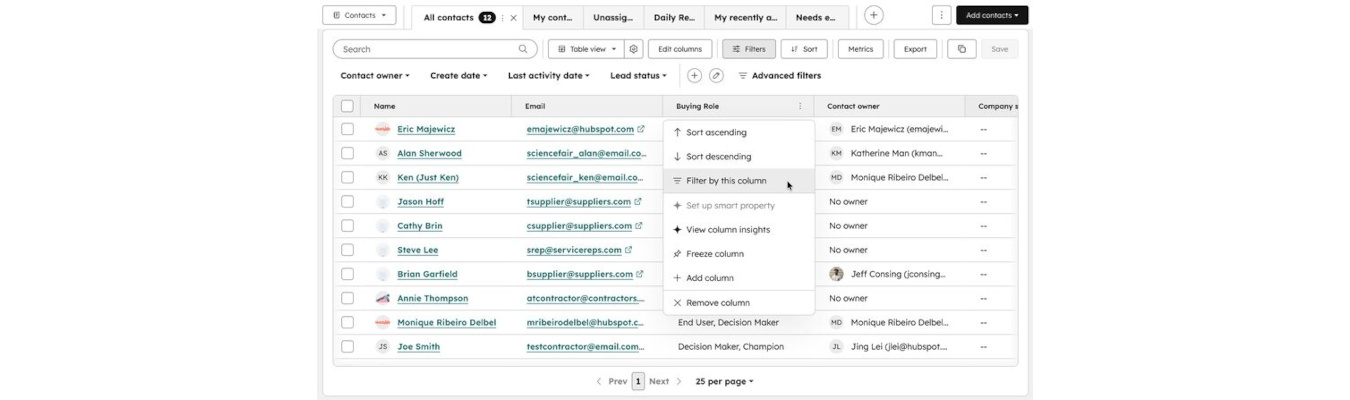
HubSpot recently introduced a small but surprisingly impactful usability improvement inside CRM index pages: column-level filtering.

The feature allows users to filter records directly from CRM table column headers, creating a much more spreadsheet-like experience when working with contacts, companies, deals, tickets, or custom objects.

At first glance, this may look like a simple UI enhancement.

Operationally, though, it removes a considerable amount of repetitive friction for teams spending large parts of their day inside CRM tables.

HubSpot Adds Deal Context Directly Inside the Gmail Extension

Ever replying to a sales email and realizing you need to switch back to the CRM just to understand what is happening with the deal?

That workflow interruption is extremely common for sales teams working heavily from their inbox.

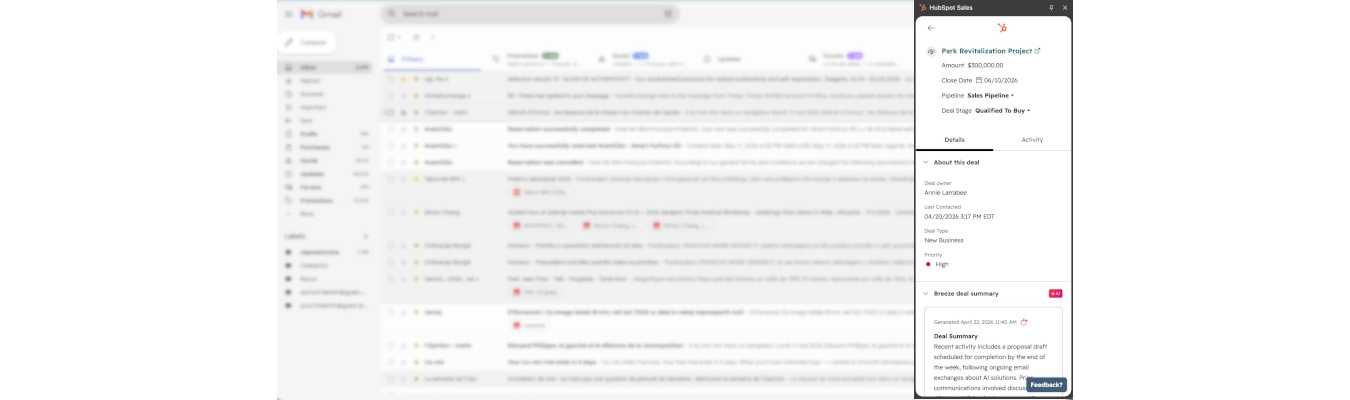
HubSpot recently introduced a new update to its Gmail extension that helps reduce that friction considerably.

Sales reps can now access deal context directly inside Gmail through the HubSpot sidebar, without needing to navigate back to the CRM.

AEO: How to Track and Improve Your Brand Visibility in AI Search

Your SEO performance may already be strong.

But do you actually know how your brand appears inside tools like ChatGPT, Gemini, or other AI-powered answer engines?

That question is becoming increasingly important as more buyers start researching products, comparing vendors, and making decisions directly through LLM-based tools instead of traditional search engines.

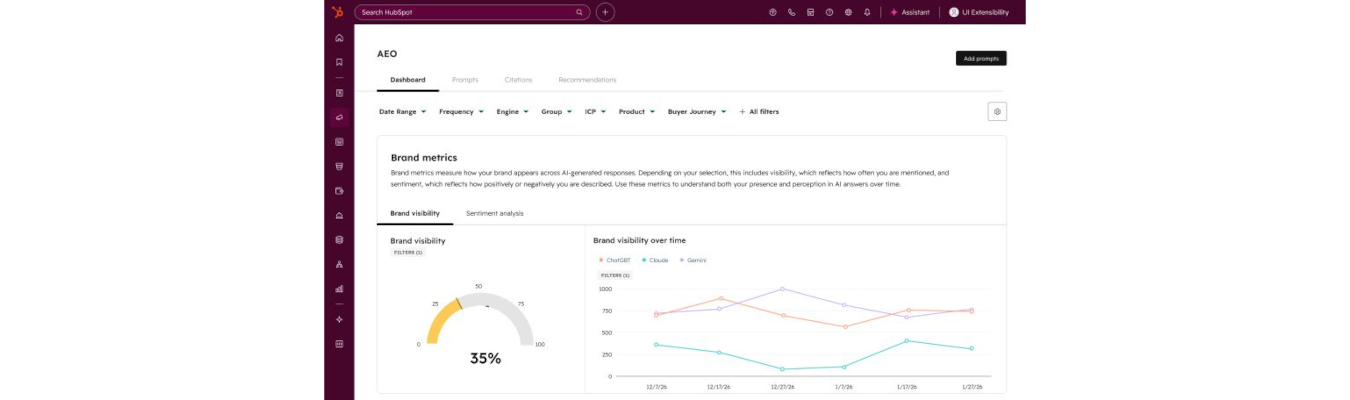
HubSpot recently introduced AEO (Answer Engine Optimization) inside Marketing Hub, bringing AI visibility monitoring directly into the platform.

And what makes this particularly interesting is that the feature goes beyond simple monitoring.

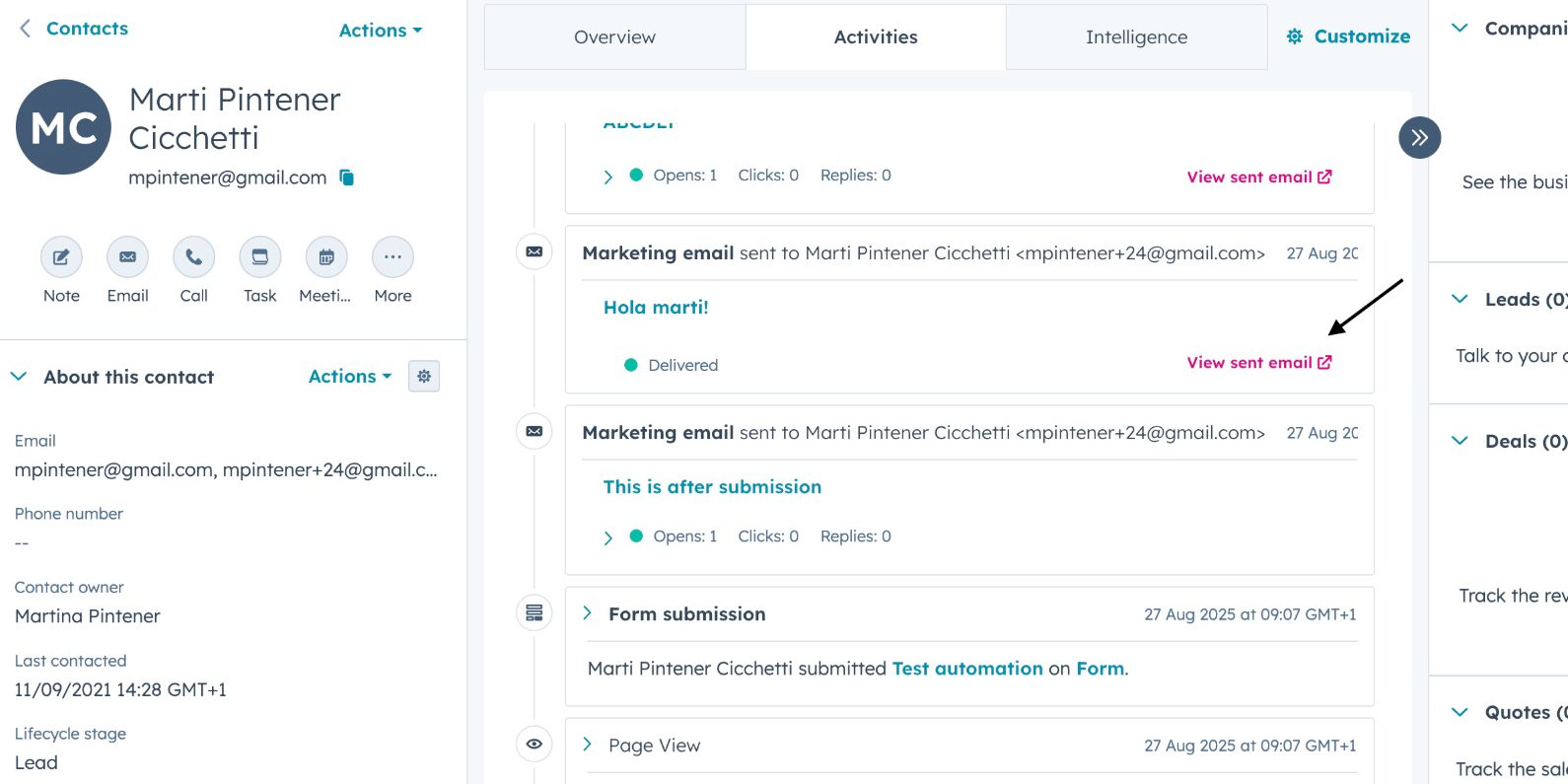
How to View the Exact Marketing Email a Contact Received in HubSpot

Using a lot of smart content, programmable email modules, or dynamic AI text tokens in your marketing emails?Then you probably know how difficult those emails can become to debug once personalization layers start stacking on top of each other.

From a marketing operations perspective, one recurring challenge has always been visibility.What exactly did this contact receive?Not the generic template. Not the draft version visible in the email editor. The actual rendered email, with all personalization, smart rules, AI-generated text, and dynamic content applied.

HubSpot recently introduced a new feature that addresses this gap directly.