Migrating to a new HubSpot account often creates one major frustration for sales teams: years of email history and customer context remain trapped inside personal inboxes.
That usually means:
- empty contact timelines
- missing conversation history
- reduced visibility
- slower onboarding for new teams
- manually rebuilding customer context
HubSpot is now addressing this challenge with a new feature called Historical Email Import.
What is Historical Email Import?
Historical Email Import allows users to import past Gmail conversations directly into HubSpot.
Instead of starting from scratch, sales teams can bring existing email exchanges and customer history into the CRM and continue working with the full context already available.
The feature is designed to make CRM onboarding and migration significantly smoother.
What can users import?
Users can:
- import historical email threads
- import associated contacts
- enrich existing CRM records with past conversations
- choose a custom date range for import
During the import flow, users can also decide whether:
- emails should only connect to existing contacts
- or whether new contacts should be automatically created from imported conversations
Why this matters
For many organizations, the CRM only becomes truly useful when historical context is available.
Without that context:
- sales reps lose visibility into previous discussions
- onboarding takes longer
- customer relationships become fragmented
- prospecting continuity is interrupted
Historical Email Import helps solve this by turning existing inbox history into structured CRM activity.
Imported emails behave like normal logged emails inside HubSpot, meaning they become:
- searchable
- visible on contact timelines
- usable for future sales activities
- accessible directly inside the CRM
Practical impact for sales teams
This feature is particularly useful for:
- CRM migrations
- onboarding new sales teams
- centralizing customer communication history
- improving account visibility
- reducing manual data reconstruction
For RevOps and SalesOps teams, this also helps accelerate CRM adoption because users no longer feel like they are “starting over” in a new system.
Important limitations and requirements
A few important things to keep in mind:
- the current rollout supports Gmail only
- users must have a Sales seat assigned
- admins can configure permissions through Email Log & Track settings
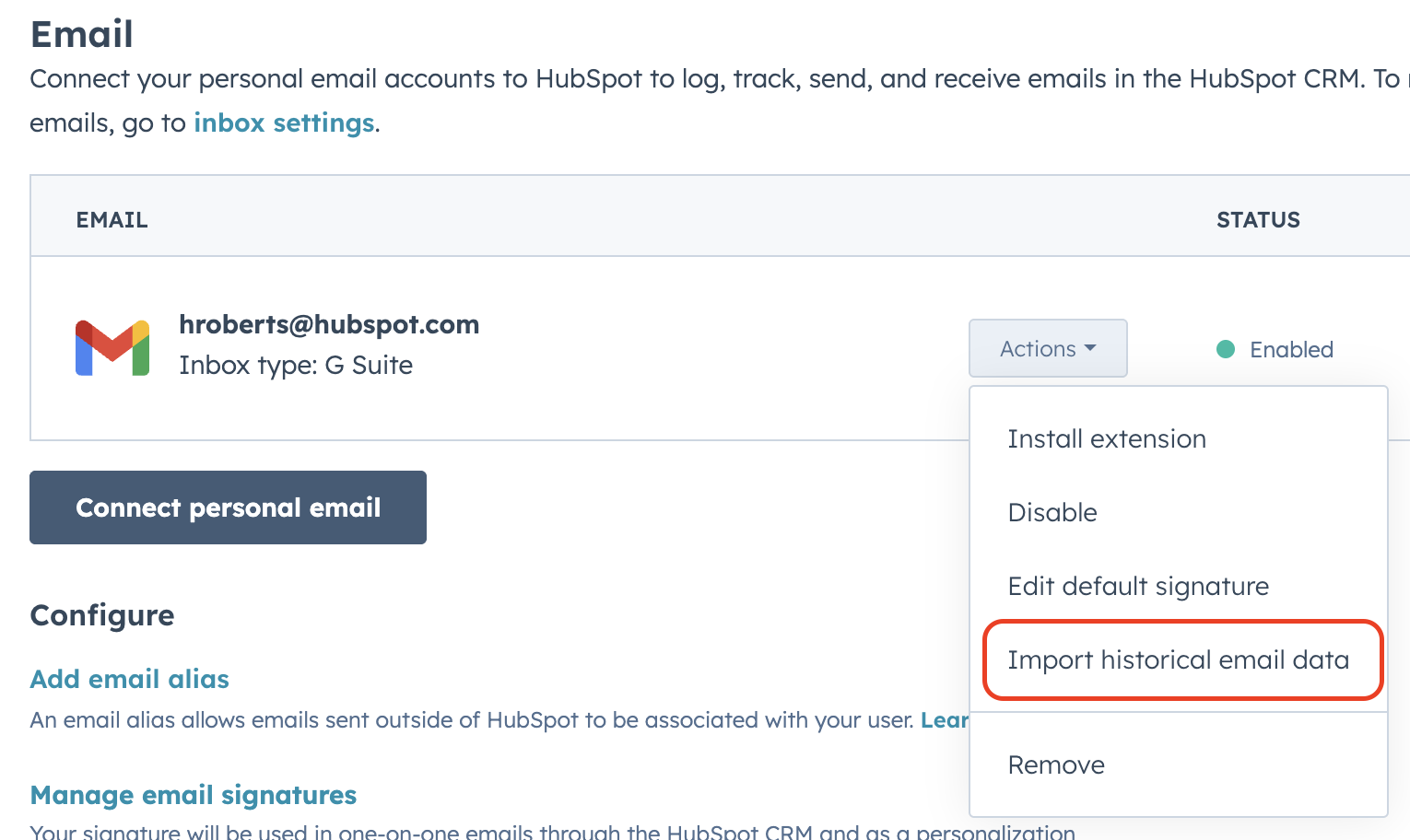
The import process is accessible after connecting a personal email account through the Actions menu.
Availability
Historical Email Import is currently available as a public beta for:
- Sales Hub Professional
- Sales Hub Enterprise
More information:
HubSpot Knowledge Base – Historical Email Import
#HubSpot #SalesOps #CRM #SalesEnablement #RevOps #Actuado